Have you ever tried to open a cool website only to be stopped by a big, scary message? Seeing an http error 403 can feel like hitting a locked door. In simple terms, this error is a sign from a website’s server. It tells you that the server knows who you are, but it will not let you inside. It is like having a key to a building but being told your key does not work for a specific room. Most of the time, this happens because the website owner has set up special rules. These rules decide who gets to see certain pages and who does not.
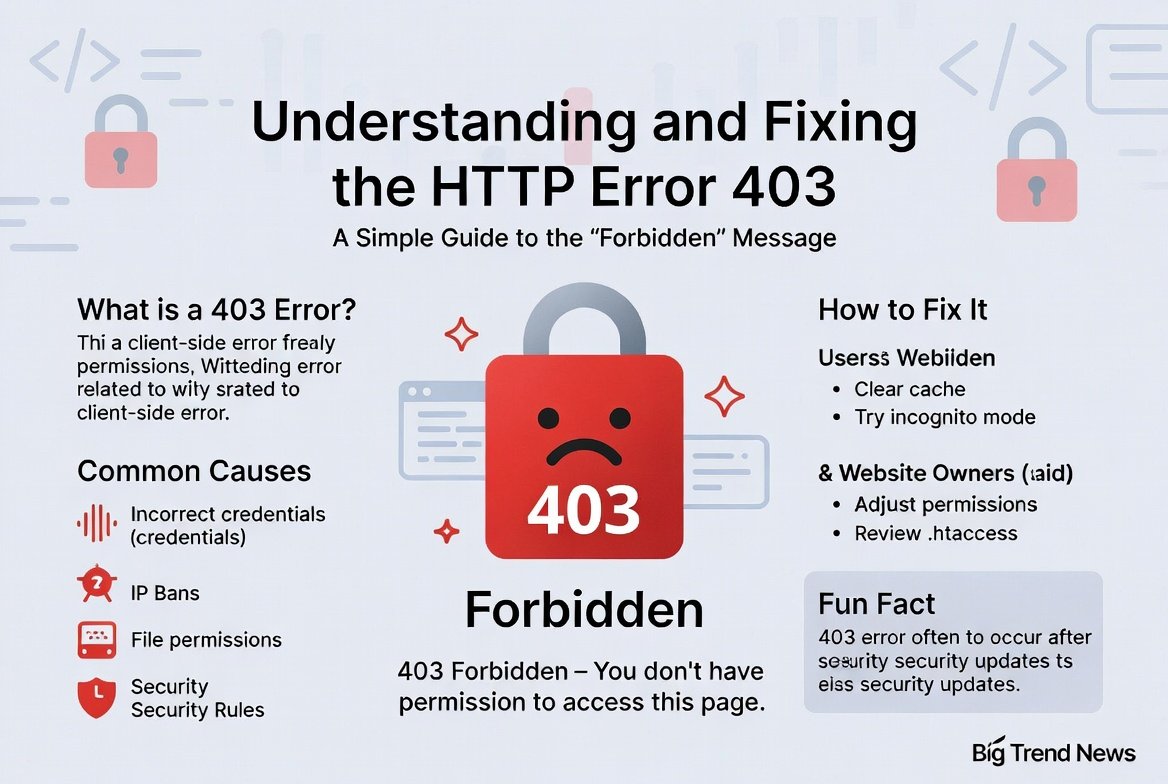
When you ask, “what is http error 403,” think of it as a “Keep Out” sign. It is different from a “404 Not Found” error. In a 404 error, the page is just missing. But with an http error 403, the page is definitely there; you just lack the right permission to view it. This could be because you aren’t logged in, or perhaps the website has blocked your specific location. Understanding this helps you realize that your internet is likely working fine, but the website is just being very picky about its visitors.
The True HTTP Error 403 Meaning Explained
To really grasp the http error 403 meaning, we have to look at how computers talk to each other. When you type a link, your phone or computer sends a request. The server looks at that request and checks its list of allowed guests. If you are not on that list, it sends back the http error 403 forbidden code. This code is a standard way for the internet to maintain security. It keeps private files safe from people who should not be looking at them, which is actually a good thing for safety.
Sometimes, this error happens by mistake. You might be a regular user, but the server thinks you are a robot or a “bad actor.” This is common when you use a VPN or if you try to click a link too many times very fast. The http error 403 is the server’s way of saying, “Slow down, I don’t trust you right now.” By learning the meaning behind these numbers, you can start to troubleshoot the problem. You can check if your settings are wrong or if the website itself has a small bug that needs fixing.
Why You See HTTP Error 403 Forbidden on Your Screen
The most common version of this message is http error 403: forbidden. It looks very formal, but it usually points to a few simple things. One big reason is “folder listing.” This happens when a website creator forgets to put a main page (like index.html) in a folder. Instead of showing you a messy list of all their private files, the server just shows you the http error 403 message. It is a protective shield that keeps the “guts” of the website hidden from the public eye for security reasons.
Another reason for seeing http error 403 forbidden is related to IP addresses. Your IP address is like your home address on the internet. Some websites block entire countries or specific internet providers. If you are trying to access a site and see this error, your “address” might be on a blocked list. This happens a lot with streaming sites or news sites that only want people from certain areas to visit. It is frustrating, but it is a choice made by the people who own the website.
Troubleshooting TheYNC HTTP Error 403 Issues
If you are a fan of video platforms, you might have run into theync http error 403. This specific site often has heavy security. Users might see this error if they are using an ad-blocker that the site does not like. When the site detects a tool that hides ads, it might trigger an http error 403 to stop you from entering. To fix this, you can try turning off your extensions and refreshing the page. It is a simple step that often solves the mystery of the blocked video.
Another reason for theync http error 403 could be a temporary ban on your connection. If the server thinks someone is trying to scrape or steal their videos, it shuts the door. If you are a normal human visitor, just waiting a few minutes usually works. You can also try clearing your browser’s “cookies.” These are small bits of memory that websites store on your computer. Sometimes these bits of memory get “stale” or broken, leading to a confusing http error 403 message that shouldn’t be there.
Fixing the yt-dlp HTTP Error 403 Forbidden Glitch
For the tech-savvy folks using command-line tools, the yt-dlp http error 403 forbidden is a common headache. This tool is used to download videos, but websites like YouTube or Vimeo often try to block it. When you see this error while using yt-dlp, it usually means the website has recognized the tool and blocked the request. The site wants you to watch the video on their own page, not download it to your hard drive. This is a classic battle between tools and website servers.
To solve the yt-dlp http error 403 forbidden problem, you often need to update the software. Developers update yt-dlp almost every day to stay ahead of these blocks. Another trick is to use “cookies” from your browser within the tool. This proves to the server that you are a real person with a real account, not just a script. By passing your login info through the tool, the http error 403 often disappears. It is all about proving to the server that you have the right to be there.
Common Causes of the HTTP Error 403 on Mobile
Using a phone can sometimes make the http error 403 feel even more annoying. On a mobile device, this often happens because of a poor data connection or a “cache” issue. Your phone tries to save time by loading old versions of pages. If that old version has a permission error, your phone might keep showing you the http error 403 forbidden screen even if the site is fixed. Restarting your mobile browser or using “incognito mode” is a great way to check if this is the case.
Apps can also trigger an http error 403. If an app on your phone is outdated, it might try to talk to a server using an old method that is no longer allowed. The server sees this old request and says “No way,” sending back the http error 403 signal. Keeping your apps updated in the Play Store or App Store is the best way to avoid this. It ensures that your phone and the website servers are speaking the same language and following the newest security rules.
Comparing Different 400-Level Errors
| Error Code | Meaning | Who is at Fault? |
| 400 Bad Request | The server didn’t understand you. | Usually the User |
| 401 Unauthorized | You need to log in first. | The User |
| HTTP Error 403 | You are banned or not allowed. | User or Server |
| 404 Not Found | The page does not exist. | The Website |
As you can see in the table, the http error 403 sits in a unique spot. It is not just a mistake; it is a deliberate refusal. Unlike a 401 error, where you can just type a password, a 403 error often means no amount of logging in will help unless the owner changes your permissions.
Simple Steps to Fix HTTP Error 403 Yourself
If you are staring at an http error 403 right now, don’t panic! The first thing you should do is check the URL. Sometimes we accidentally type an extra slash or character that points to a private folder. If the URL looks correct, try the “Hard Refresh” trick. Hold down the “Ctrl” key and press “F5” on your keyboard. This forces your browser to ignore its saved files and ask the website for a brand-new version of the page. Often, the http error 403 forbidden goes away after this.
If that doesn’t work, try clearing your browser history and cache. This is like giving your browser a fresh start. Another helpful tip is to check if you are logged in. Some pages are only for members. If your session timed out, the server will throw an http error 403. Simply going back to the home page and logging in again can fix everything. These small steps are usually enough to get past the http error 403: forbidden wall without needing a computer degree.
When to Contact the Website Owner
Sometimes, there is nothing you can do on your end to fix an http error 403. If you have tried clearing your cache and checking your link, the problem might be a mistake by the website staff. They might have accidentally changed the permissions for everyone. In this case, the http error 403 forbidden is affecting many people. Finding a “Contact Us” page or tweeting at the company can help them realize there is a problem. They are usually happy to fix it!
When you contact them, be sure to tell them exactly when you saw the http error 403. Tell them what device you were using and what link you clicked. This information helps their tech team find the bug faster. Remember, the http error 403 meaning is all about permission. By letting them know, you are essentially asking them to “unlock the door” for you and other users who are stuck outside the digital room.
The Role of Permissions in Web Security
The reason we have the http error 403 is to keep the internet safe. Imagine if anyone could look at your private bank files or a company’s secret plans. We need these “Forbidden” walls to protect our privacy. Every file on a server has a set of numbers attached to it that define who can read it. When those numbers are set to “private,” anyone else who tries to look will see the http error 403 forbidden message. It is the internet’s version of a security guard.
For website owners, managing the http error 403: forbidden status is a big part of their job. They have to make sure the right people can see the content while keeping hackers away. If a server is set up perfectly, you will only see this error when you are truly trying to go somewhere you shouldn’t. It is a sign of a well-guarded and professional website. So, while it is annoying to see, the http error 403 is actually doing a very important job in the background.
Conclusion
In the end, encountering an http error 403 is just a small bump in the road. Whether it is a simple mistake in the URL, a need to clear your cookies, or a specific issue like the yt-dlp http error 403 forbidden, there is almost always a way around it or a reason for it. Now that you know the http error 403 meaning, you can handle it like a pro. Most of the time, a quick refresh or a logout-login cycle will get you back to your favorite content in no time.
Next time you see those bold letters saying http error 403 forbidden, remember that you have the tools to investigate. Check your settings, update your software, and don’t be afraid to reach out for help. The internet is a huge place with many locked doors, but knowing why they are locked makes the experience much less confusing. Keep exploring, stay curious, and don’t let a “Forbidden” sign ruin your day!
(FAQs)
- Can a VPN cause an HTTP error 403?
Yes, it can! Some websites block known VPN addresses to prevent spam. If you see an http error 403, try turning off your VPN to see if the website lets you in.
- Is HTTP error 403 the same as a ban?
It can be. Sometimes a server uses the http error 403 forbidden message to block specific users who broke the rules. However, it is often just a technical mistake or a private folder.
- How do I fix the yt-dlp http error 403 forbidden?
The best way is to update your yt-dlp to the latest version. You can also try using the –cookies-from-browser command to show the server you are a real user.
- Why am I getting theync http error 403 all of a sudden?
This usually happens due to ad-blockers or too many rapid requests. Try disabling your browser extensions and refreshing the page to clear the http error 403 message.
- Does clearing my cache really help with http error 403?
Absolutely. Your browser might be remembering an old permission error. Clearing the cache forces the browser to fetch a fresh, updated version of the site from the server.
- Can a website owner fix an http error 403?
Yes, only the owner can change the “permissions” on the server. If the error is happening to everyone, it is a server-side problem that the owner must fix in their settings.