Have you ever left the house and realized you forgot your main ID? It happens to everyone, and it can really ruin your day. Thankfully, your aadhar card is super easy to get from any computer or smartphone. This special 12-digit number is the most important piece of paperwork you own in India today. It proves exactly who you are for bank accounts, phone lines, and school registry.
Knowing how to grab a quick digital copy saves you from long lines and stressful moments. You do not need to visit a government office just to get a fresh printout. This guide will teach you the simplest ways to manage your data, protect your privacy, and open your files without any confusing tech talk.
What Exactly is an Aadhar Card?
An aadhar card is a unique identification slip given to residents of India. It collects your photo, fingerprints, and eye scans to build a safe profile. The system ensures that no two people can share the same identity number. This helps stop fraud and makes sure government welfare benefits go directly to the right families.
Think of this card as your all-access pass to modern daily life. It connects your phone number, tax documents, and savings accounts together. Whenever a business asks for proof of address, this is the first thing they want to see. Having a backup digital copy on your phone is a smart way to stay prepared.
Why You Need a Digital Copy Today
Carrying a physical plastic card in your wallet all the time can be risky. If you lose your wallet, someone might try to use your information. That is why keeping a digital copy of your aadhar card on your smartphone is incredibly helpful. It is legal, fast to show, and accepted almost everywhere you go.
If you are applying for a quick loan or buying a new mobile SIM card, you can use your digital file. You will never have to worry about fading ink or torn paper. Best of all, you can pull it up in just a few seconds while standing at a counter.
The Magic of the Aadhar Card Download Online PDF
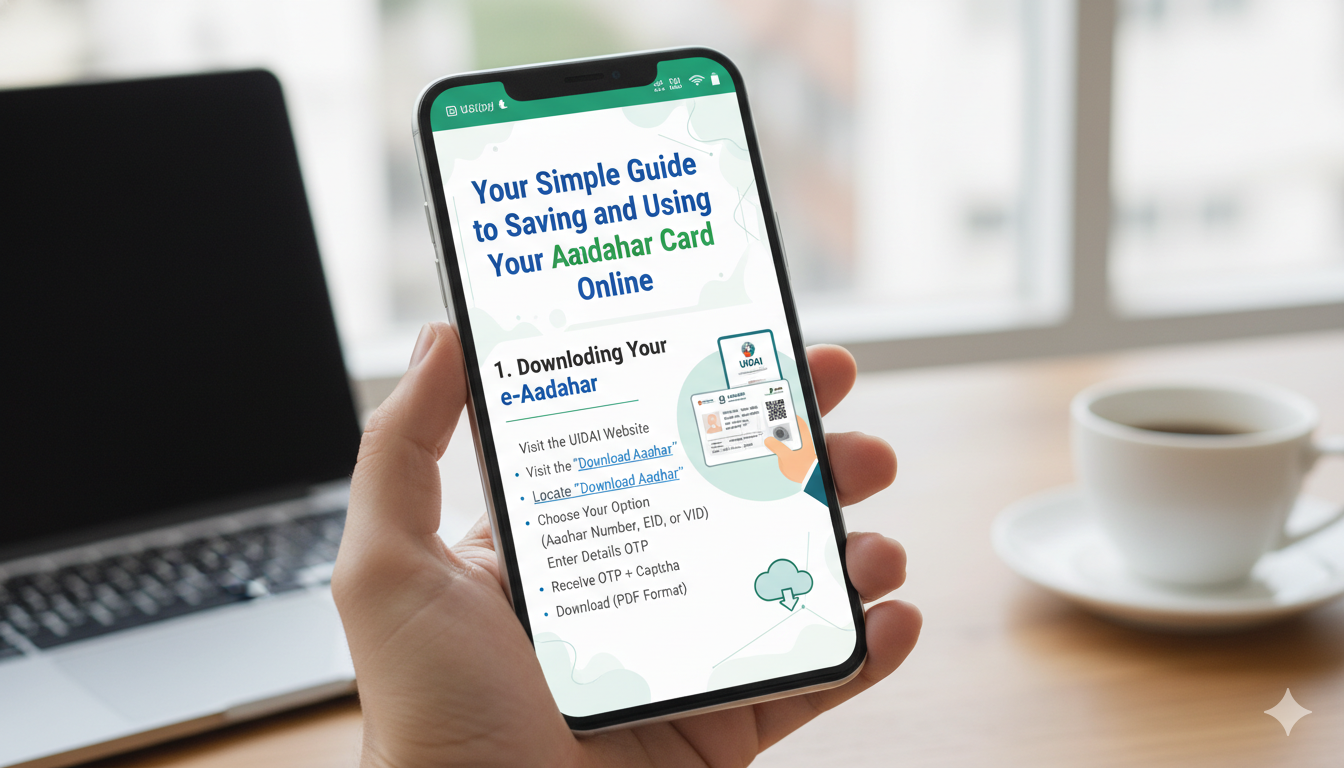
Getting your official file is very straightforward. You can perform an aadhar card download online pdf directly through the official resident portal. All you need is your identity number or the enrollment slip you got when you first signed up. This service runs all day and all night, completely for free.
When you save the document, it lands on your device as a Portable Document Format (PDF) file. This format looks exactly like the printed card you get in the mail. It displays your clear photo, home address, date of birth, and gender in a clean layout.
Guard Your Numbers with an Aadhar Card Download Masked Copy
Privacy is a big deal when you upload files to public websites or hand copies to strangers. If you want extra safety, you should use the aadhar card download masked option. This feature hides the first eight digits of your identity number with small cross marks like “XXXX-XXXX.”
Regular View: 1234 5678 9101
Masked View: XXXX XXXX 9101
Only the last four digits stay visible to the reader. This is fantastic because people can still verify your name and photo, but they cannot steal your full number. Many hotels and train stations prefer this version because it keeps your personal data safe from prying eyes.
Navigating the Aadhar Card Download XML PDF System
Advanced users and official offices often look for more than just a simple paper image. They look for an aadhar card download xml pdf file format. An XML file is a bundle of secure code that computers can read instantly. It lets a company verify your ID automatically without typing your details by hand.
When you download this special package, it provides a high-tech way to prove your identity offline. The file does not share your private biometric scans, but it holds a digital signature. This signature proves the document is real and has not been altered by anyone.
Unlocking Your File: The Aadhar Card Download Password
When your document finishes saving, you might notice that you cannot open it right away. A message will pop up asking for a secret key. This is the aadhar card download password, which is added to protect your file from thieves. Do not panic; you do not need to create a new password or register anywhere.
The system builds the key automatically using your own personal details. It is a mix of your name and your birth year. Once you learn the pattern, you can unlock your document on any computer or phone instantly.
| Part of Password | What to Use | Example |
| First 4 Characters | First 4 letters of your name in CAPITAL letters | ROHI (for Rohit) |
| Last 4 Characters | Your year of birth | 1995 |
| Full Combined Key | Name letters + Birth year | ROHI1995 |
Quick Troubleshooting for Password Problems
Sometimes the screen says your secret key is wrong, even when you think you typed it correctly. The most common mistake is forgetting to turn on your capital letters. If your name is shorter than four letters, just use your full name and add the birth year right after it.
Password Tip: If your name is “Riya” and you were born in 2002, your password is RIYA2002. If your name has a space, like “R K Kumar,” count the space or skip to the main letters according to standard rules.
If the file still refuses to open, the download might be corrupted. Delete the broken file from your phone downloads folder, clear your web browser data, and try the download one more time.
Keeping Your Mobile Number Linked and Active
To download your card online, your mobile number must be attached to your profile. The system sends a one-time verification text message to your phone before it lets you see the file. If you changed your phone number recently, the online portal will not be able to reach you.
If your phone number is out of date, you will need to walk into a local service center to update it. They will scan your thumbprint to make sure it is really you, then type in your new number. This usually updates within a few days.
Choosing the Best Copy for Daily Errands
Not every errand requires the exact same type of document copy. It is wise to know which version fits your situation best so you do not waste time or print extra paper.
- Masked PDF: Best for checking into hotels, renting rental bikes, or showing building security guards.
- Standard PDF: Best for opening bank accounts, buying insurance plans, or filing official tax documents.
- XML File: Best for digital paperless sign-ups with corporate employers and modern mobile networks.
Simple Tips to Protect Your Private Card Data
Your identity is valuable, and you must treat it like real cash. Never share your password or your verification text codes with anyone over a phone call. No bank or government employee will ever call you to ask for those numbers.
Avoid downloading your personal documents on public computers, like the ones in internet cafes or libraries. If you absolutely have to use a public machine, make sure to delete the file from the computer trash bin before you walk away.
Conclusion
Managing your aadhar card does not have to feel like a massive chore. By using the aadhar card download online pdf process, you can keep a safe copy ready on your device at all times. Remember to use the aadhar card download masked trick whenever you want to hide your private numbers from strangers. Keep your aadhar card download password pattern memorized so you can unlock your data in an emergency. Stay safe, guard your phone codes, and enjoy the convenience of digital identity.
FAQs
What should I do if my name has no surname for the password?
If you only use one name, use the first four letters of that name in capital letters and then enter your four-digit birth year. It follows the exact same pattern.
Is the downloaded PDF copy as valid as the original paper card?
Yes, the digital copy is fully legal and holds the exact same value as the physical card sent by mail, according to national digital laws.
Can I download my file if I lose my registered mobile phone?
You must have access to your registered phone number to receive the security text code. If you lose the number, you must visit an update center to register a new phone.
Why is my masked card missing the first few digits?
The first eight digits are hidden on purpose to protect your privacy. This stops unauthorized people from copying your full identity number while still leaving the card useful.
Is there a fee to download the online card?
No, using the online resident portal to look up and download your document is entirely free of cost.
How many times can I download my file online?
There is no limit. You can download your document as many times as you need if you lose the file or accidentally delete it.